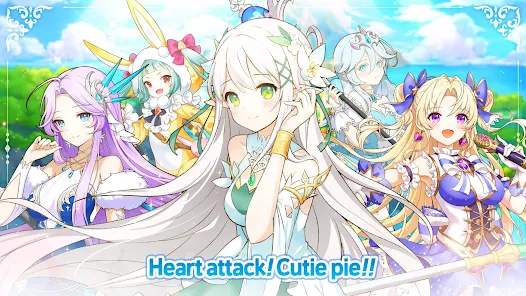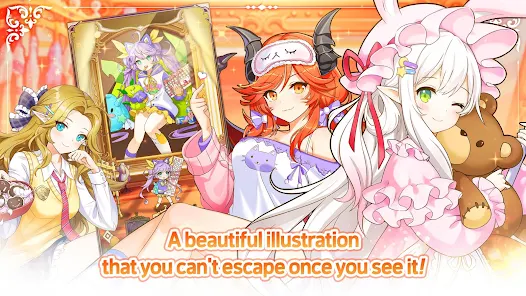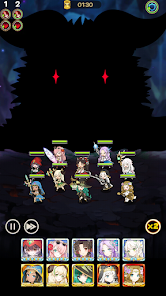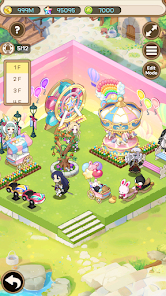
Princess Tale is a 2D idle RPG developed by Gamepub where players assemble teams of anime-styled princesses to battle the Demon Queen and save the world of Misugarudo. It appeals to gacha collectors and idle RPG fans who enjoy character-driven progression with minimal active input. However, mid-game advancement slows considerably for free players, and ranking up princesses demands multiple duplicate pulls from the gacha system.
From hands-on use, the aggressive push of duration-limited purchase packs becomes noticeable within the first week of play. The Crystal Room level-sharing system cleverly reduces resource strain by matching all benched heroes to your fifth-strongest character’s level. One-Finger Control automation handles skill casting and loot collection, but Colosseum PVP rankings feel heavily gated by spenders who access elite characters through direct purchase bundles.
Players often explore modified versions to evaluate the full princess roster and test team formations without relying on gacha luck or slow gem accumulation. This allows determining whether specific character synergies and end-game content justify long-term daily logins and potential spending. Consider using a secondary account for testing to protect your primary progress, server rank, and any previous purchase history tied to your main profile.
Should You Use Princess Tale?
This App is Ideal For:
AFK Arena veterans seeking a similar idle RPG with anime princess aesthetics and less demanding daily login requirements
Gacha collectors who enjoy building rosters of illustrated characters without oversexualized designs common in competing titles
Commuters wanting a ten-minute daily check-in game that auto-progresses stages and collects rewards while offline
Anime art enthusiasts drawn to expressive chibi battle animations and illustrated character portraits with personality-driven backstories
Consider Alternatives If:
You hit mid-game walls quickly — F2P progression past chapter fifteen stalls without significant patience or spending
Competitive PVP matters to you — Colosseum rankings are dominated by players purchasing elite characters directly through bundles
Fresh content is a priority — event rotations recycle frequently and meaningful gameplay updates arrive at a slow pace
You prefer English voice acting — Princess Tale currently lacks voiced dialogue, limiting character immersion during story segments
Key Features of Princess Tale
Princess Tale combines idle RPG automation with gacha team-building and formation-based tactical combat. Here are the standout capabilities:
Crystal Room Level Sharing — Automatically match benched heroes to your fifth-strongest character’s level, eliminating redundant upgrade grinding across your roster
One-Finger Control System — Automate skill casting, hunting, and loot collection so your team progresses around the clock without active play
Formation & Skill Tactics — Arrange five princesses in strategic positions and pair complementary skills to turn losing battles into victories
New Player-Care Rewards — Receive 2,700 gems daily for seven consecutive days, totaling 16,900 gems to jumpstart your gacha pulls
Colosseum PVP Mode — Test your princess compositions against other players in ranked competitive battles with seasonal reward tiers
World Boss Raids — Coordinate damage output against server-wide bosses with mission objectives and milestone-based loot rewards
AR Photo Mode — Use your device camera to place princess characters into real-world scenes for shareable augmented reality screenshots
Download & Installation Guide
Important Security Notes:
Modified APKs may conflict with official versions
Consider using a test device or secondary account
Back up important data before installation
Installation Steps:
Enable “Install from Unknown Sources” in Settings > Security
Download the APK file to your device
Locate the file in your Downloads folder and tap to install
Grant camera permission if you plan to use the AR photo feature with princess characters
Launch the game, select your server, and redeem available coupon codes from the settings menu before starting progression
App-Specific Considerations:
Do not bind your primary Google or social account — use a guest login or secondary account to avoid conflicts with official server data
Reserve at least 800MB of free storage as Princess Tale downloads additional asset packs for character illustrations and event content post-install
Online connectivity is required at all times — offline play is not supported, and modified builds may trigger server-side verification during PVP or World Boss events
Advertisement
How to install Princess Tale APK?
Scroll down and click the Download button to get the APK file.
If you already have the original Princess Tale installed from Google Play, uninstall it first.
Go to your device's Settings > Security and enable "Install from Unknown Sources".
Open the downloaded APK file and click Install.
Open the app, grant only the permissions you understand, and confirm it runs correctly.