Vampire’s Fall 2 1.3.104 MOD Menu APK | Free In-App Purchase, Unlimited Currency, Unlimited Skill Points
- Updated
- Version 1.3.104
- Size 316.93 MB
- Requirements Android 7.1
- Developer Early Morning Studio
- Genre Role Playing
- Google Play


About Vampire’s Fall 2
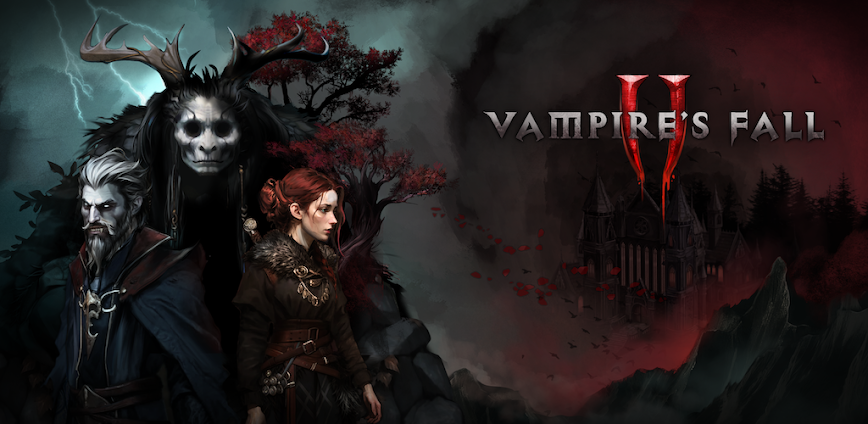
Vampire’s Fall 2 is a 2D open-world turn-based RPG by Early Morning Studio set 100 years after the events of Origins, where players become a vampire navigating a dark fantasy kingdom filled with tactical combat and branching choices. It targets old-school RPG fans who enjoy deep character building and atmospheric exploration. Free-to-play with optional purchases, the early game restricts vampire abilities until the story transformation, and some late-game gear progression carries light pay-to-win elements.
From hands-on use, the Combo Turn system creates a compelling tactical rhythm where every third turn — tracked by moon phases on screen — allows multiple actions if you have enough Focus Points. The four Bloodline skill trees — Anger, Control, Vitality, and Deceit — offer meaningful build diversity, while the seamless world design eliminates loading screens between exploration and combat. However, free players encounter slower gear progression that becomes noticeable in mid-game regions.
Players look into modified versions to evaluate whether the full Bloodline progression and gear system justify long-term investment before committing to premium purchases. Testing different build paths helps determine if the strategic depth matches expectations from classic RPGs. Consider using a secondary account when exploring, as cross-play save data syncs across platforms and may behave unpredictably.
Should You Use Vampire’s Fall 2?
This Game is Ideal For:
- Baldur’s Gate fans seeking a mobile dark fantasy RPG with meaningful turn-based tactical decisions
- Commuters wanting offline RPG sessions that save progress locally and sync when reconnected via cross-play
- Build theorycrafters who enjoy experimenting with four distinct Bloodline skill trees and magic type combinations
- Vampire fiction enthusiasts drawn to story-driven RPGs where the protagonist transforms and unlocks supernatural abilities
Consider Alternatives If:
- You expect 3D visuals and animations — the game uses a traditional 2D top-down pixel art style throughout
- Fast-paced action combat is your preference — every encounter uses methodical turn-based mechanics with Focus management
- Late-game pay-to-win concerns frustrate you — some gear progression advantages are available through premium purchases
- You want multiplayer co-op campaigns — the game focuses on solo PvE with separate PvP dueling as its only multiplayer
Key Features of Vampire’s Fall 2
Vampire’s Fall 2 combines classic turn-based RPG combat with open-world vampire progression and cross-platform play. Here are the standout capabilities:
- Combo Turn System — Execute multiple actions every third turn by spending Focus Points, tracked by moon phase indicators on screen
- Bloodline Skill Trees — Invest points across Anger, Control, Vitality, and Deceit branches to shape unique vampire combat builds
- Seamless World Combat — Engage visible enemies directly on the overworld map without loading screens or random encounter interruptions
- Triple Magic System — Wield Holy, Dark, and Arcane spells with type advantages against vampires, humans, and beasts respectively
- Shrine Fast-Travel Network — Pray at shrines to restore health and unlock teleportation waypoints across the kingdom map
- Randomized Level-Up Bonuses — Receive unique stat bonus options at each level, making every character’s progression path distinct
- Cross-Play Progression — Continue your save seamlessly between mobile and Steam with synchronized character data across platforms
Download & Installation Guide
Important Security Notes:
- Modified APKs may conflict with official versions
- Consider using a test device or secondary account
- Back up important data before installation
Installation Steps:
- Enable “Install from Unknown Sources” in Settings > Security
- Download the APK file to your device
- Locate the file in your Downloads folder and tap to install
- Grant storage permissions when prompted to save local character data and overworld exploration progress
- Launch and complete the character creation and Lineage selection before entering the open world
App-Specific Considerations:
- Avoid linking your cross-play account immediately — test with a local save first to confirm stability before syncing to Steam
- The game functions fully offline for PvE content, but PvP dueling and cross-progression sync require internet connectivity
- Reserve approximately 500MB of storage as the game caches overworld region data and NPC behavior patterns locally during exploration

- Free In-App Purchase
- Unlimited Currency
- Unlimited Skill Points
 Show/Hide Mod info: