Traveler’s Journey 1.0.5 MOD Menu APK | Free In-App Purchase, God Mode, Unlocked No Ads

- Updated
- Version 1.0.5
- Size 129.67 MB
- Requirements Android 6.0
- Developer Casual Games For Fun
- Genre Casual
- Google Play


About Traveler’s Journey
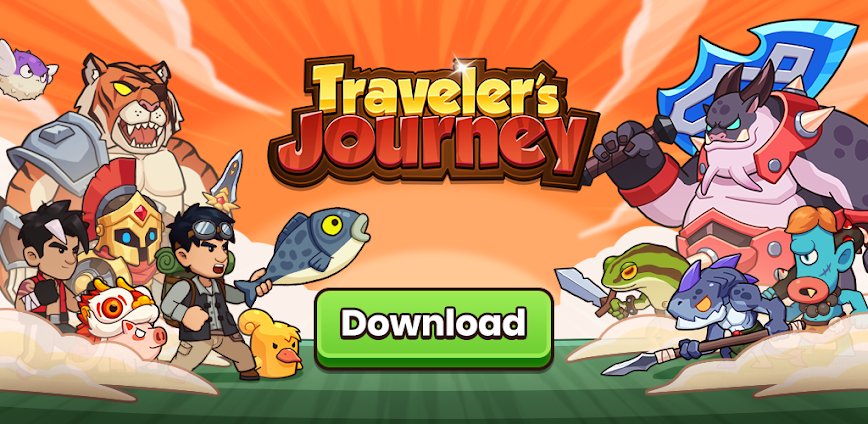
Traveler’s Journey is a roguelike adventure RPG where players progress through multiple worlds by upgrading talents, forging equipment, and collecting pets. The game appeals to idle gaming enthusiasts who enjoy gradual power growth through accumulated gold coins and resource management. However, the passive battle system offers minimal direct combat control, and frequent crashes combined with energy limitations frustrate players seeking uninterrupted sessions.
During initial exploration, the game’s auto-battle mechanics become immediately apparent since players primarily choose tasks rather than actively controlling fights. Features like Talent Upgrade for attribute enhancement, Equipment Extraction for forging divine armor, and Pet Egg collection provide progression depth. Many users report experiencing crashes that consume energy without delivering rewards, and navigation bugs between the market and equipment screens force restarts.
Users exploring modified versions typically want to evaluate the complete adventure experience without energy restrictions limiting their exploration sessions. This allows testing whether the roguelike mechanics and progression systems genuinely match their idle gaming preferences. Consider using a secondary account for testing to protect any progress on your primary profile.
Should You Use Traveler’s Journey?
This Game is Ideal For:
- Idle RPG fans who prefer watching characters progress automatically while multitasking with other activities
- Collection enthusiasts seeking pet gathering mechanics and equipment forging systems for long-term engagement goals
- Roguelike newcomers wanting accessible mechanics without complex input requirements or steep learning curves
- Mobile gamers seeking optional advertisement viewing rather than forced interruptions during gameplay sessions
Consider Alternatives If:
- Active combat engagement matters to you – battles require no strategic input beyond selecting missions
- Device stability concerns exist – frequent crashes and bugs affect energy consumption and reward delivery
- Quick session completion appeals more – energy systems and daily caps limit meaningful progress per play session
- Polished experiences are priority – users report navigation bugs between market and equipment menus regularly
Key Features of Traveler’s Journey
Traveler’s Journey combines roguelike exploration with idle progression systems. Here are the standout capabilities:
- Talent Upgrade System – Accumulate gold coins during adventures to permanently enhance character attributes across multiple stat categories
- Equipment Extraction – Forge divine armor and weapons through material gathering rather than direct purchase for combat advantages
- Pet Egg Collection – Hatch companion creatures that provide battle support and populate your expanding pet home collection
- Mining System – Gather rare treasures through dedicated mining activities separate from main adventure quests for additional resources
- Multi-World Exploration – Travel through different themed environments each offering unique challenges and progression opportunities
- Daily Mission Variety – Access rotating objectives providing varied gameplay loops beyond standard adventure grinding
Download & Installation Guide
Important Security Notes:
- Modified APKs may conflict with official versions
- Consider using a test device or secondary account
- Back up important data before installation
Installation Steps:
- Enable “Install from Unknown Sources” in Settings > Security
- Download the APK file to your device
- Locate the file in your Downloads folder and tap to install
- Grant storage permissions when prompted for save data and progression synchronization functionality
- Launch and complete the initial tutorial missions to unlock core features before testing extended sessions
App-Specific Considerations:
- Test market and equipment menu navigation early as bugs reportedly cause crashes and energy loss during transitions
- Avoid making purchases until verifying stability since crashes may consume resources without delivering rewards properly
- Enable auto-save features if available and manually note progression milestones as crash recovery remains inconsistent

- Free In-App Purchase
- God Mode
- Unlocked No Ads
 Show/Hide Mod info: