
The Demonized: Idle RPG 6.5.0 MOD Menu APK | Free Summon, Gold Drop Multiplier, One Hit Kill, Speed
- Updated
- Version 6.5.0
- Size 222.59 MB
- Requirements Android 7.1
- Developer Gameduo
- Genre Simulation
- Google Play


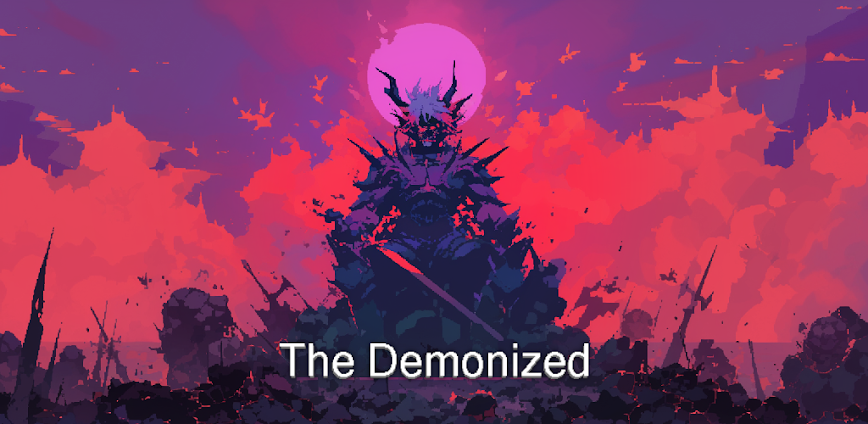
The Demonized: Idle RPG blends retro-pixel aesthetics with deep hero progression through offline rewards, gear optimization, and tactical minion synergies. The core appeal stems from idle combat paired with meaningful upgrade decisions across multiple systems—leveling Enchant Luck passives, managing Demon Village infrastructure (Lumber Mill, Research Lab), and summoning rare minions and attack skills. However, natural friction emerges quickly: advancing through campaign stages and field boss challenges demands heavy investment in equipment upgrades and passive skill farming—a grind requiring selective prioritization of limited daily resources.
In real usage, new players face overwhelming complexity balancing idle income optimization, gear enhancement builds, and minion selection without clear guidance. From testing, the interconnected nature of Trait Attack systems, Skill Enchantment trees, and Village Affinity mechanics creates confusing progression walls, especially when deciding whether to farm specific passive books, upgrade equipment to exact levels, or grind boss challenges for daily keys. Users frequently waste materials on suboptimal equipment enhancements and struggle determining which Enchant Luck and Dexterity thresholds matter most for advancing past mid-game bosses.
This resource allows you to bypass material scarcity and experiment with advanced gear combinations, minion team compositions, and passive skill builds without grinding hundreds of hours. The MOD version provides unlimited currency, enabling rapid testing of different enhancement strategies and minion synergies before committing to the standard progression pace. A secondary account is strongly recommended for safe experimentation with various build paths. See What’s Mod and Technical Details below.
How to Install (Click the Spoilers to Read):
Signed
Signed APKs are compatible with all Android devices — both rooted and non-rooted. Most mod publishers release only the signed version, as it works universally across all devices.
Installation Guide
- Uninstall the original version of the game or app.
- Download the latest MOD APK file.
- Tap to install the downloaded file.
- Launch the game and enjoy your new features!
Login Information
Please note: Google login is not available when using signed MOD APKs.
- Facebook login (if supported) can work, but you must uninstall the Facebook app from your device first.
- Other login methods — such as email, transfer codes, or guest login — typically work without issues.
Important Notes
- In-app purchases (IAP) are not supported in signed APKs since they rely on Google Play services, similar to the Google login process.
- If you have used a previous version of our MOD, you can update directly by installing the new APK over the old one — no need to uninstall.
Unsigned
Unsigned APKs work only on rooted and patched Android devices. These files are not always released by mod publishers, since they require specific device conditions to function properly.
Requirements
- Your Android device must be rooted.
- Your device must be patched to bypass app signature verification.
- This can be achieved using tools like Lucky Patcher or Xposed Framework.
- Your device must be patched to bypass app signature verification.
Once these requirements are met, installing an unsigned MOD APK is similar to installing a signed one — with one key difference: 👉 You can install it directly over the original app without uninstalling it first.
Installation Guide
- Download the unsigned MOD APK.
- Install it on your device.
- Launch the game or app and enjoy!
Notes
- If the unsigned APK fails to install, your device patch was not applied correctly.
- Login methods and in-app purchases (IAP) in unsigned MODs work just like in the original game.
- Google login functions normally.
- You can keep the Facebook app installed — no need to remove it.
- Login methods and in-app purchases (IAP) in unsigned MODs work just like in the original game.
OBB Files
Not every game or app requires OBB files, but if they do, the mod publisher will usually include them and mention that they are needed.
Step-by-Step Installation Guide
- Download the required OBB file(s).
- Download the corresponding MOD APK.
- Using a file manager, move the OBB files to the following location on your device: 👉
Android/obb/<packagecode>
- Using a file manager, move the OBB files to the following location on your device: 👉
- Install the downloaded MOD APK.
- Open the game and enjoy playing!
Important Notes
- If you receive a ZIP file, make sure to extract it first before placing the contents into the correct folder.
- OBB files are usually provided as either “.obb” files or “.zip” archives.
XAPK, APKS, or ZIP Files
- Download the .xapk, .apks, or .zip file from the website.
- Install the Split APKs Installer (SAI) app from Google Play.
- Open SAI, locate the downloaded file, and start the installation process.
- Once installed, launch the game or app and enjoy!
Don’t risk your device with shady mods full of ads! At enmods.com, we only share safe and trusted mods—no hidden junk, no fake downloads. We care about your experience and want you to enjoy worry-free gaming.

- Free Summon
- Gold Drop Multiplier
- One Hit Kill
- Speed
 Show/Hide Mod info:
 ![Cat Hero : Idle RPG 6.8.1 [MOD Menu APK][Unlimited Gold][Unlimited Summon][God Mode][Speed]](https://enmods.com/wp-content/uploads/2025/10/745-cat-hero-idle-rpg.png)


![Dual Blader : Idle Action RPG 2.0.0 [MOD Menu APK][Damage Multiplier][Damage Reduction][Resource Injection][Speed] & More](https://enmods.com/wp-content/uploads/2025/11/2140-dual-blader-idle-action-rpg.png)
![The Lone Necromancer: Idle RPG 1.1.17 [MOD Menu APK][Damage Multiplier][God Mode][EXP/Gold/Reward Drop Multiplier] & More](https://enmods.com/wp-content/uploads/2025/11/1907-the-lone-necromancer-idle-rpg.png)
![Creature Hunter Idle 1.3.1 [MOD Menu APK][Damage & Defense Multiplier]](https://enmods.com/wp-content/uploads/2025/10/1097-creature-hunter-idle.png)