Soccer Manager 2026 – Football 3.3.1 MOD Menu APK | Upgrade Stadium 1 Gold, Buy Player 1 Gold, No Ads, Free Training & More
- Updated
- Version 3.3.1
- Size 815.92 MB
- Requirements Android 7.0
- Developer Invincibles Studio Ltd
- Genre Sports
- Google Play


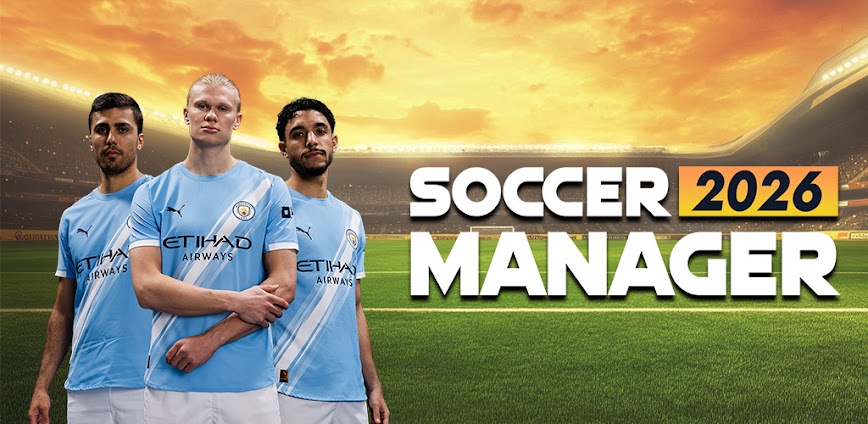
About Soccer Manager 2026
Soccer Manager 2026 is a football management simulator from Invincibles Studio where players take control of clubs across 90+ leagues in 54 countries, managing tactics, transfers, training, and facilities. The game targets football management enthusiasts who enjoy deep tactical control over their dream teams. However, progression becomes challenging without premium currency, and frequent crashes after updates disrupt long-term save files for many players.
From hands-on management sessions, the transfer market complexity becomes apparent when navigating contract negotiations and scouting real players. Features like the Match Motion Engine displaying 3D match animations, the Manager Traits System with skill tree perks, and the Training Upgrades for developing youth players add strategic depth. Many users report the gold video rewards fail to load requiring repeated tapping, while goalkeeper AI occasionally runs to midfield creating unrealistic match situations.
Users exploring modified versions typically want to evaluate the complete management experience including premium facilities and transfer budgets without currency grinding. This allows testing whether the tactical depth and club-building mechanics justify ongoing investment across multiple seasons. Consider using a secondary account for initial testing since cloud save features and progression data may behave unpredictably with modified installations.
Should You Use Soccer Manager 2026?
This Game is Ideal For:
- Football Manager fans seeking mobile alternatives with similar tactical depth and transfer market realism during commutes
- Long-term club builders who enjoy developing youth academies and improving facilities across multiple in-game seasons
- Tactical experimenters wanting to test formations and watch results unfold in 3D Match Motion engine presentations
- Multi-league explorers interested in managing clubs across 54 different countries beyond typical European leagues only
Consider Alternatives If:
- App stability matters most – frequent crashes after updates corrupt saves frustrating long-term playthrough progress
- Faceless players concern you – after 8-10 seasons generated players lack faces reducing immersion significantly
- Ad-free experience preferred – gold and player boosts require watching videos that often fail to load properly
- Premium shortcuts frustrate you – microtransactions for player acquisitions create pay-to-win progression barriers
Key Features of Soccer Manager 2026
Soccer Manager 2026 combines comprehensive club management with tactical match control and career progression. Here are the standout capabilities:
- Match Motion Engine – Watch your tactical decisions unfold in 3D with new animations, lighting, and celebration sequences during matches
- Manager Traits System – Unlock perks through a skill tree that enhances your managerial abilities and unlocks new strategic options
- Transfer Market – Navigate realistic contract negotiations, scout real players worldwide, and manage squad wages within budgets
- Training Upgrades – Develop youth players and improve squad abilities through enhanced training systems and facility investments
- 90+ Leagues Access – Manage clubs across 54 countries from elite European leagues to lower divisions worldwide
- Monthly & Seasonal Awards – Compete for Manager of the Month recognition and seasonal honors based on performance achievements
- Club Objectives System – Follow guided goals with daily rewards that help structure your management approach and progression
Download & Installation Guide
Important Security Notes:
- Modified APKs may conflict with official versions
- Consider using a test device or secondary account
- Back up important data before installation
Installation Steps:
- Enable “Install from Unknown Sources” in Settings > Security
- Download the APK file to your device
- Locate the file in your Downloads folder and tap to install
- Grant storage permissions when prompted for saving career data and squad configurations locally
- Select a league and club to begin your managerial career before accessing transfer market and tactical setup
App-Specific Considerations:
- Avoid linking accounts or making in-app purchases when testing modified installations to prevent profile conflicts
- Cloud save synchronization may not function with modified versions – export save data manually before major updates
- Reserve approximately 1GB storage for the full game including league databases and Match Motion assets

- Upgrade Stadium 1 gold
- Buy Player 1 Gold
- Free Training
- No Ads
- Max Morele
- Mas Fitness
- Aways Transfer
- Scout 50 Players
- Start LVL 3 Facilities
- Upgrade All Facilities
- Free Refresh Spotlight
- Level UP Manager
- Infinite Traits
- Infinite Money
 Show/Hide Mod info: