Sky Combat: War Planes Online 8.0 MOD Menu APK | Unlimited Money, High Level, Infinite Ammo, High Damage, AutoShoot & More

- Updated
- Version 8.0
- Size 414 MB
- Requirements Android 5.0
- Developer Azur Interactive Games Limited
- Genre Action
- Google Play
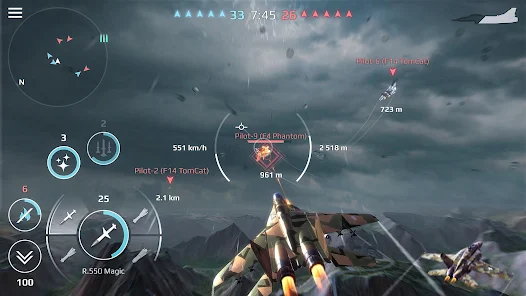
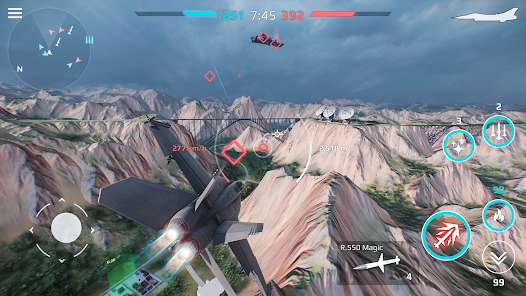
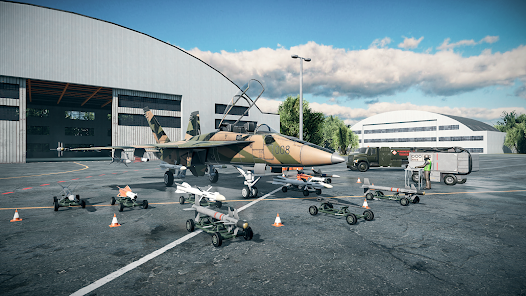
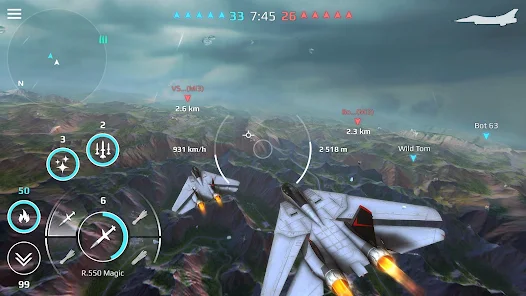
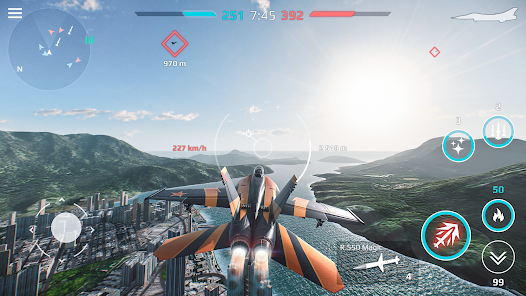
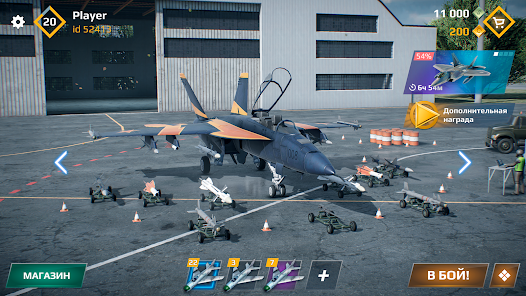

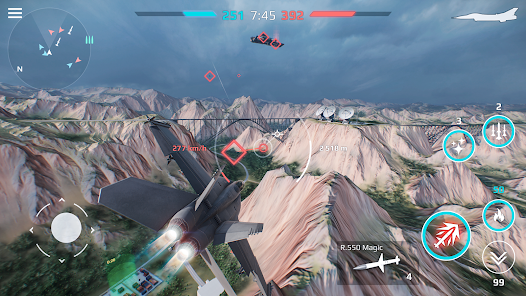
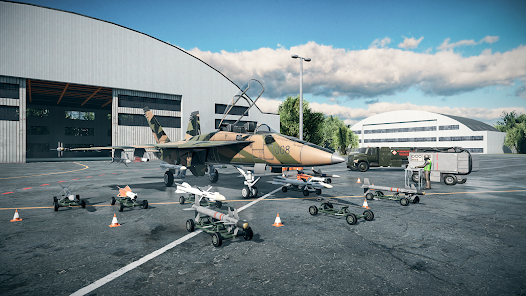
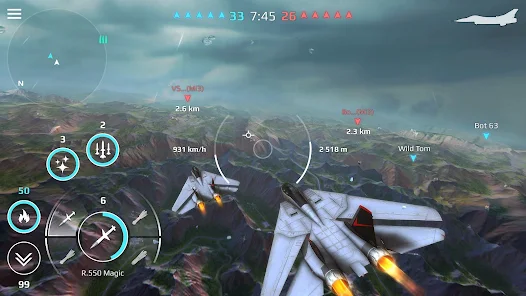
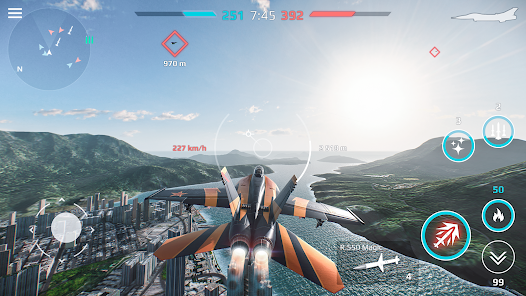
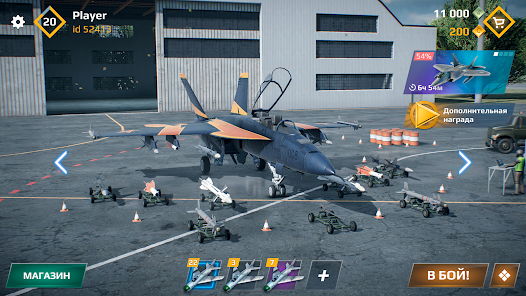

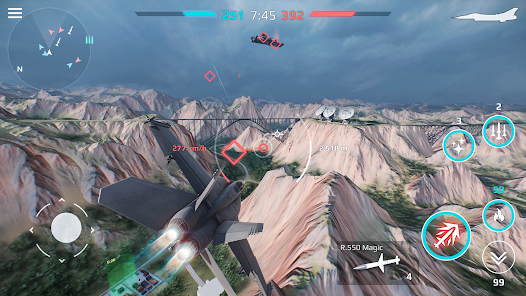
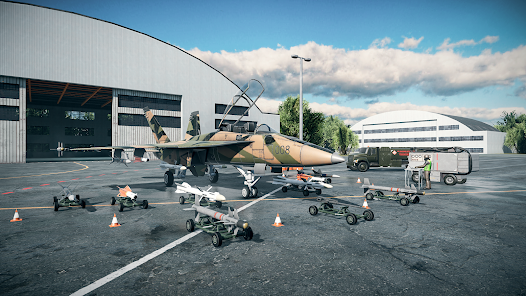
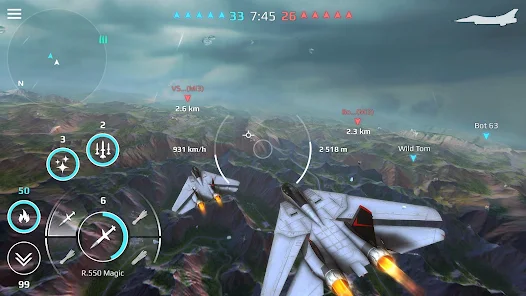
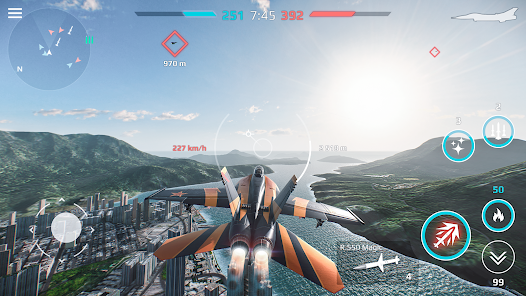
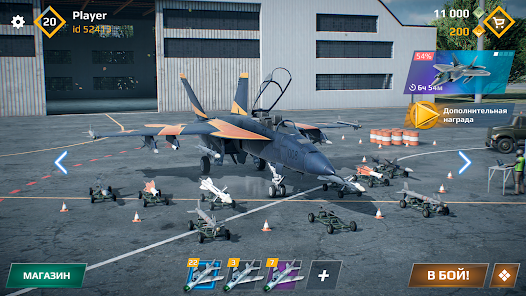

Sky Combat delivers intense 5v5 aerial dogfights where you pilot 15+ real-world jet prototypes and engage in competitive team-based warfare across dynamic map locations. The core appeal lies in piloting diverse aircraft like the Su-57 and F-117 Nighthawk, customizing weapons loadouts, and executing complex aerial maneuvers against human opponents. However, progression quickly becomes a pay-to-win grind as aircraft tier advantages and unlimited upgrade systems create significant power gaps between newcomers and veterans with fully optimized jets.
From testing early matchmaking, the difficulty spike hits immediately through aircraft stat imbalances and control sensitivity learning curves. New pilots struggle managing simultaneous touch-based flight controls while maintaining firing accuracy, especially against experienced players using upgraded missiles and enhanced shield systems. Aircraft unlocking requires grinding currency through dozens of matches, while equipment enhancements compound—each upgrade tier demands exponentially more resources, forcing weeks of grinding before competing at higher ranks against players with maxed-out loadouts.
This page exists for pilots who want to master flight mechanics and test different aircraft synergies without the endless upgrade grind. MOD versions let you freely unlock all jet variants, experiment with weapon combinations across tiers, and practice team coordination strategies without resource constraints. A secondary account is recommended for exploring advanced tactics. See What’s Mod and Technical Details below to make an informed choice about your aerial combat approach.
How to Install (Click the Spoilers to Read):
Signed
Signed APKs are compatible with all Android devices — both rooted and non-rooted. Most mod publishers release only the signed version, as it works universally across all devices.
Installation Guide
- Uninstall the original version of the game or app.
- Download the latest MOD APK file.
- Tap to install the downloaded file.
- Launch the game and enjoy your new features!
Login Information
Please note: Google login is not available when using signed MOD APKs.
- Facebook login (if supported) can work, but you must uninstall the Facebook app from your device first.
- Other login methods — such as email, transfer codes, or guest login — typically work without issues.
Important Notes
- In-app purchases (IAP) are not supported in signed APKs since they rely on Google Play services, similar to the Google login process.
- If you have used a previous version of our MOD, you can update directly by installing the new APK over the old one — no need to uninstall.
Unsigned
Unsigned APKs work only on rooted and patched Android devices. These files are not always released by mod publishers, since they require specific device conditions to function properly.
Requirements
- Your Android device must be rooted.
- Your device must be patched to bypass app signature verification.
- This can be achieved using tools like Lucky Patcher or Xposed Framework.
- Your device must be patched to bypass app signature verification.
Once these requirements are met, installing an unsigned MOD APK is similar to installing a signed one — with one key difference: 👉 You can install it directly over the original app without uninstalling it first.
Installation Guide
- Download the unsigned MOD APK.
- Install it on your device.
- Launch the game or app and enjoy!
Notes
- If the unsigned APK fails to install, your device patch was not applied correctly.
- Login methods and in-app purchases (IAP) in unsigned MODs work just like in the original game.
- Google login functions normally.
- You can keep the Facebook app installed — no need to remove it.
- Login methods and in-app purchases (IAP) in unsigned MODs work just like in the original game.
OBB Files
Not every game or app requires OBB files, but if they do, the mod publisher will usually include them and mention that they are needed.
Step-by-Step Installation Guide
- Download the required OBB file(s).
- Download the corresponding MOD APK.
- Using a file manager, move the OBB files to the following location on your device: 👉
Android/obb/<packagecode>
- Using a file manager, move the OBB files to the following location on your device: 👉
- Install the downloaded MOD APK.
- Open the game and enjoy playing!
Important Notes
- If you receive a ZIP file, make sure to extract it first before placing the contents into the correct folder.
- OBB files are usually provided as either “.obb” files or “.zip” archives.
XAPK, APKS, or ZIP Files
- Download the .xapk, .apks, or .zip file from the website.
- Install the Split APKs Installer (SAI) app from Google Play.
- Open SAI, locate the downloaded file, and start the installation process.
- Once installed, launch the game or app and enjoy!
Don’t risk your device with shady mods full of ads! At enmods.com, we only share safe and trusted mods—no hidden junk, n

- Unlimited Money
- Unlimited Gold
- High Level
- High Experience
- Custom ID
- No Ads
- God Mode [MENU]
- No Camera Shake
- Infinite Fuel
- Fast Respawn
- No Overheat
- Infinite Upgrade Points
- Infinite Ammo
- Infinite Ammo V2
- High Damage
- High Kill Radius
- High Rocket Speed
- High Mobility
- High Accuracy
- FireRate
- Infinite RocketTrap
- AutoShoot
- Cannot Fire
- Cannot Reload
- Freeze Round Timer
- Freeze Round Score
- Color Chams
- Wireframe Chams
- Glow Chams
- Outline Chams
- Rainbow Chams
- Color Red
- Color Green
- Color Blue
- Wireframe Width
- Glow Width
- Outline Width
 Show/Hide Mod info: