
Party Heroes 1.9.1 [MOD Menu APK][Damage Multiplier][Damage Reduction][Drop Multiplier][Speed]
![Party Heroes 1.9.1 [MOD Menu APK][Damage Multiplier][Damage Reduction][Drop Multiplier][Speed]](https://enmods.com/wp-content/uploads/2025/12/2256-party-heroes.png)
- Updated
- Version 1.9.1
- Size 731 MB
- Requirements Android 7.0
- Developer mpeakgames
- Genre Simulation
- Google Play



![Party Heroes 1.9.1 [MOD Menu APK][Damage Multiplier][Damage Reduction][Drop Multiplier][Speed]](https://enmods.com/wp-content/uploads/2025/12/2256-party-heroes-bg.png)
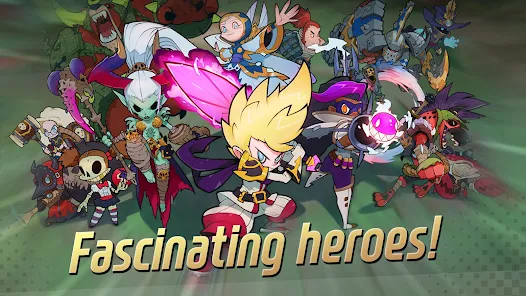
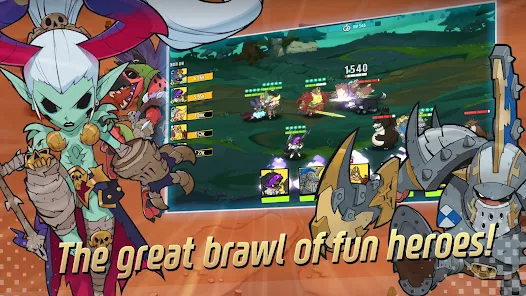
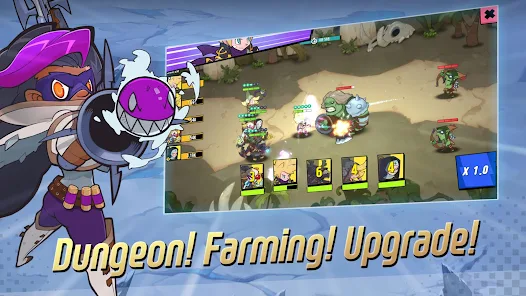
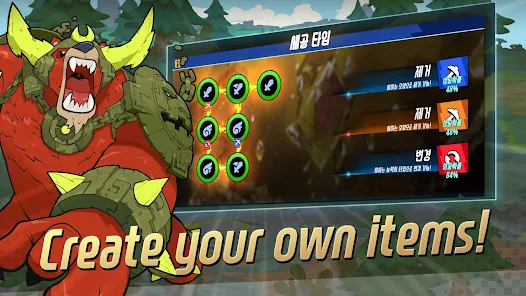
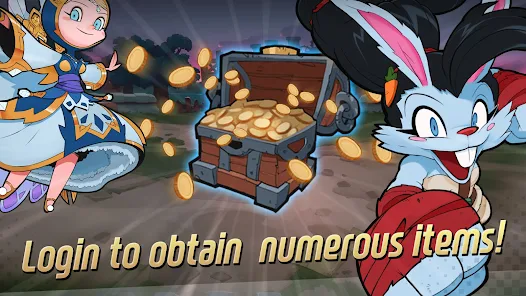
Party Heroes is a mobile strategy RPG that centers on collecting a diverse roster of unique heroes, each possessing their own powerful skills. This application invites players to engage in tactical gameplay by mastering various stats, such as character positions and attributes, to optimize team performance in combat. Users can customize and strengthen their heroes through a comprehensive improvement system that includes Common and Exclusive Equipment, Spirit Stones, and Stat Trees. Beyond single-player progression, the app features a PVP Arena mode where players can deploy their best hero combinations to compete against rivals. To support continuous growth, Party Heroes offers accessible rewards for coming online, helping players steadily enhance their team’s capabilities.
How to Install (Click the Spoilers to Read):
Signed
Signed APKs are compatible with all Android devices — both rooted and non-rooted. Most mod publishers release only the signed version, as it works universally across all devices.
Installation Guide
- Uninstall the original version of the game or app.
- Download the latest MOD APK file.
- Tap to install the downloaded file.
- Launch the game and enjoy your new features!
Login Information
Please note: Google login is not available when using signed MOD APKs.
- Facebook login (if supported) can work, but you must uninstall the Facebook app from your device first.
- Other login methods — such as email, transfer codes, or guest login — typically work without issues.
Important Notes
- In-app purchases (IAP) are not supported in signed APKs since they rely on Google Play services, similar to the Google login process.
- If you have used a previous version of our MOD, you can update directly by installing the new APK over the old one — no need to uninstall.
Unsigned
Unsigned APKs work only on rooted and patched Android devices. These files are not always released by mod publishers, since they require specific device conditions to function properly.
Requirements
- Your Android device must be rooted.
- Your device must be patched to bypass app signature verification.
- This can be achieved using tools like Lucky Patcher or Xposed Framework.
- Your device must be patched to bypass app signature verification.
Once these requirements are met, installing an unsigned MOD APK is similar to installing a signed one — with one key difference: 👉 You can install it directly over the original app without uninstalling it first.
Installation Guide
- Download the unsigned MOD APK.
- Install it on your device.
- Launch the game or app and enjoy!
Notes
- If the unsigned APK fails to install, your device patch was not applied correctly.
- Login methods and in-app purchases (IAP) in unsigned MODs work just like in the original game.
- Google login functions normally.
- You can keep the Facebook app installed — no need to remove it.
- Login methods and in-app purchases (IAP) in unsigned MODs work just like in the original game.
OBB Files
Not every game or app requires OBB files, but if they do, the mod publisher will usually include them and mention that they are needed.
Step-by-Step Installation Guide
- Download the required OBB file(s).
- Download the corresponding MOD APK.
- Using a file manager, move the OBB files to the following location on your device: 👉
Android/obb/<packagecode>
- Using a file manager, move the OBB files to the following location on your device: 👉
- Install the downloaded MOD APK.
- Open the game and enjoy playing!
Important Notes
- If you receive a ZIP file, make sure to extract it first before placing the contents into the correct folder.
- OBB files are usually provided as either “.obb” files or “.zip” archives.
XAPK, APKS, or ZIP Files
- Download the .xapk, .apks, or .zip file from the website.
- Install the Split APKs Installer (SAI) app from Google Play.
- Open SAI, locate the downloaded file, and start the installation process.
- Once installed, launch the game or app and enjoy!
Don’t risk your device with shady mods full of ads! At enmods.com, we only share safe and trusted mods—no hidden junk, no fake downloads. We care about your experience and want you to enjoy worry-free gaming.

- Damage Multiplier
- Damage Reduction
- Drop Multiplier
- Speed
 Show/Hide Mod info:
 ![Street Bunny 2.7.1 [MOD Menu APK][OneHit][Kill Enemies][Animation Speed][Game Speed][No Ads]](https://enmods.com/wp-content/uploads/2025/10/1171-street-bunny.png)
![Idle Three Kingdoms: Card RPG 1.1.59 [MOD Menu APK][Guest Login][Damage Multiplier][God Mode][Drop Multiplier] & More](https://enmods.com/wp-content/uploads/2025/11/1628-idle-three-kingdoms-card-rpg.png)

![Resonance Solstice 1.6.0 [MOD Menu APK][Damage & Defense Multiplier][God Mode]](https://enmods.com/wp-content/uploads/2025/10/1181-resonance-solstice.png)
![Dual Blader : Idle Action RPG 2.0.0 [MOD Menu APK][Damage Multiplier][Damage Reduction][Resource Injection][Speed] & More](https://enmods.com/wp-content/uploads/2025/11/2140-dual-blader-idle-action-rpg.png)
![Transcendent: Idle RPG 1.9.2 [MOD Menu APK][Attack Multiplier][God Mode][Fast Stage]](https://enmods.com/wp-content/uploads/2025/10/768-transcendent-idle-rpg.png)