
Last Mage 0.4.1714 MOD Menu APK | Dumb Enemy, Unlimited Mana, Unlock DLC

- Updated
- Version 0.4.1714
- Size 116 MB
- Requirements Android 5.1
- Developer Weird Johnny Studio
- Genre Action
- Google Play


About Last Mage
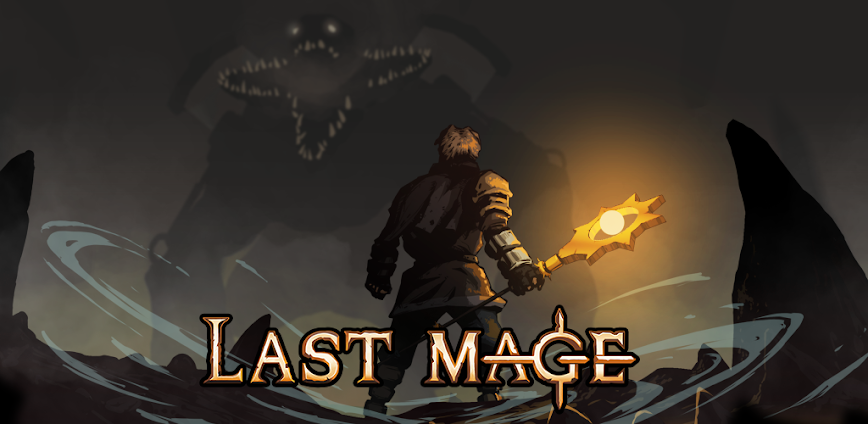
Last Mage is a spell-based roguelite from Weird Johnny Studio combining bullet heaven combat with strategic inventory management. It appeals to players who enjoy dungeon-crawling action where backpack customization directly impacts survival odds. However, early access limitations mean only two playable maps and one character are currently available, and mana depletion becomes a recurring frustration during extended monster encounters without careful resource planning.
From hands-on dungeon runs, the Backpack Management system stands out as players must arrange magical artifacts within limited inventory slots to trigger item synergies. The Spells Management feature allows selecting upgrades at each level-up, while the Rings System adds another layer of passive bonuses. Many users find the learning curve steep when discovering how artifact placement creates unexpected interactions or devastating combinations during combat.
Users seeking modified versions typically want to evaluate the complete skill tree progression and artifact variety before investing significant time in the early access grind. This allows testing different backpack configurations and spell combinations without the resource constraints affecting strategic experimentation. Consider using a secondary account for testing purposes and keep your primary progress data backed up separately from modified installations.
Should You Use Last Mage?
This Game is Ideal For:
- Vampire Survivors fans seeking deeper inventory strategy layered onto familiar bullet heaven gameplay loops
- Backpack Battles enthusiasts who want real-time combat combined with Tetris-style item arrangement decisions
- Roguelite collectors building runs around artifact synergies rather than purely stat-based character progression
- Short session players needing dungeon runs that complete within fifteen to twenty-five minute intervals
Consider Alternatives If:
- You prefer complete content – only two maps and one character exist in current early access build
- Mana management frustrates you – spells drain resources quickly and regeneration requires careful timing
- You want extensive character variety – single playable mage limits build diversity compared to multi-class roguelites
- Offline play matters – server connectivity may be required for progression saving and feature validation
Key Features of Last Mage
Last Mage combines roguelite spell progression with unique backpack-based inventory strategy. Here are the standout capabilities:
- Backpack Management – Arrange inventory slots and unlock new backpack blocks that grant passive skills based on configuration layout
- Spells Management – Choose from ten spells with branching upgrades like Magic Bullet pierce bonuses or Tornado split effects at level-up
- Rings System – Equip magical rings providing passive bonuses that complement your active spell loadout and backpack configuration
- Artifact Crafting – Combine dropped equipment into more powerful items where spatial arrangement triggers unexpected deadly synergies
- Starting Rune Selection – Pick initial runes before each descent that define early combat capabilities and strategic direction
- Skill Tree Progression – Spend experience earned across runs on permanent upgrades improving stamina, strength, and speed stats
- Comic Cutscenes – Experience four narrative sequences revealing the mage’s backstory and dungeon lore between gameplay segments
Download & Installation Guide
Important Security Notes:
- Modified APKs may conflict with official versions
- Consider using a test device or secondary account
- Back up important data before installation
Installation Steps:
- Enable “Install from Unknown Sources” in Settings > Security
- Download the APK file to your device
- Locate the file in your Downloads folder and tap to install
- Grant storage permissions when prompted for saving skill tree progress and backpack configurations locally
- Launch and complete the initial tutorial covering backpack basics before attempting deeper dungeon runs
App-Specific Considerations:
- Reserve approximately 400MB storage space as dungeon assets and artifact graphics load progressively during gameplay
- Test connectivity status early since cloud save synchronization and progression may require periodic server validation
- Experiment with backpack arrangements in early maps first as artifact synergy combinations can unexpectedly damage your own character

- Dumb Enemy
- Unlimited Mana
- Unlock DLC
 Show/Hide Mod info:





Please update the key..