Grimlight – A Tale of Dreams 2.0.11 MOD Menu APK | Damage & Defense Multipliers, God Mode, Minimum Unit Cost
- Updated
- Version 2.0.11
- Size 1.87 GB
- Requirements Android 8.0
- Developer Eight Studio
- Genre Role Playing
- Google Play


About Grimlight
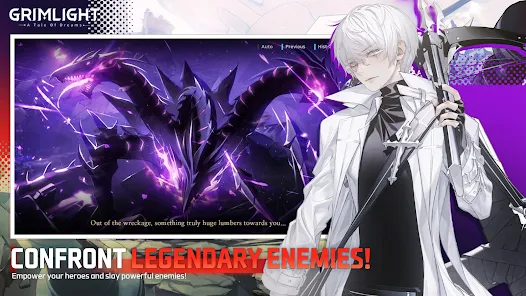
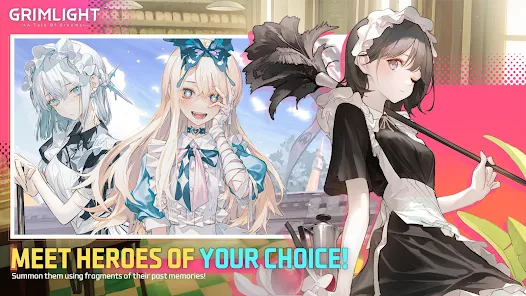
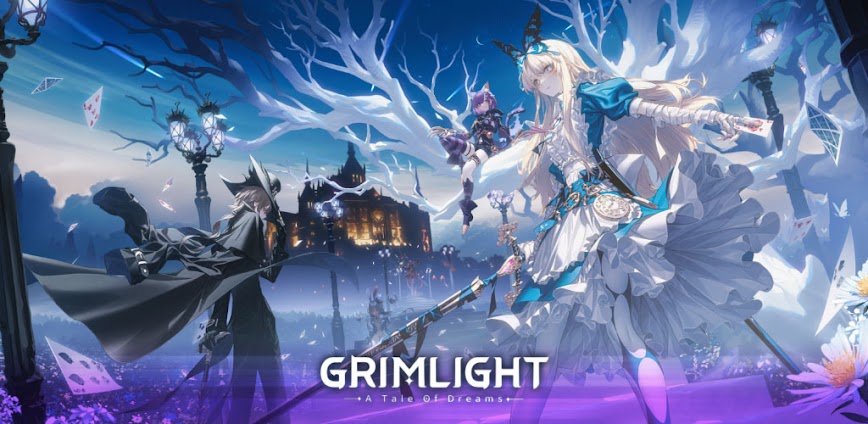
Grimlight is a tactical gacha RPG featuring heroes reimagined from classic fairy tales and folklore, including Alice, Snow White, Cinderella, and Red Riding Hood. It appeals to collectors drawn to anime-style illustrations and turn-based squad combat in the corrupted world of Phantasia. However, the energy system called Keys restricts nearly all content access, and the gacha requires 1500 gems for a ten-pull while daily rewards provide only 15 gems per stage completion.
During initial exploration of story chapters, the Deployment Point mechanic becomes crucial as higher-tier heroes demand more points to place on the battlefield. Features like the Awakening system let duplicate hero shards unlock random stat nodes, while Enhancing Potential uses Tomes for percentage-based boosts. Many players report the element countering system (Fire, Water, Nature, Dark, Light) creates strategic depth but progression walls appear quickly without premium currency investment.
Users seeking modified versions typically want to evaluate whether the hero collection depth and combat strategy justify the stamina constraints before committing time or money. This allows testing team compositions and exploring story content without artificial energy restrictions impacting the experience. Consider using a secondary account for testing purposes and keep your primary progress separate from modified installations.
Should You Use Grimlight?
This Game is Ideal For:
- Fairy tale enthusiasts who want to collect reimagined storybook characters with Korean voice acting
- Gacha collectors attracted to high-quality anime illustrations without overtly sexualized character designs
- Tactical RPG players who enjoy element-based countering and squad positioning over real-time combat
- Short session gamers comfortable with stamina-gated content requiring brief daily check-ins
Consider Alternatives If:
- You expect generous free-to-play gem economy – daily rewards versus pull costs create severe imbalance
- Active gameplay appeals more – auto-battle dominates and manual intervention rarely changes outcomes
- Tower content variety matters – most game modes including towers consume Keys limiting exploration freedom
- You prefer ongoing development – live service updates have slowed significantly since initial launch period
Key Features of Grimlight
Grimlight combines tactical hero collection with fairy tale storytelling across the corrupted realm of Phantasia. Here are the standout capabilities:
- Dreamstone Summoning – Call upon legendary heroes using memory fragments, with ten free rerolls at game start for optimal pulls
- Element Counter System – Strategize squad composition using five elements where Fire beats Nature, Water counters Fire, creating tactical matchups
- Deployment Points – Manage battlefield placement costs as powerful heroes require higher points limiting early-game roster flexibility
- Awakening Nodes – Spend duplicate hero shards to unlock up to nine random stat bonuses per character strengthening their combat effectiveness
- Enhancing Potential – Use corresponding Tomes to grant percentage-based stat increases that significantly boost hero performance
- Challenging Mode – Unlock harder difficulty versions of story chapters after normal completion for additional rewards and star objectives
- Gear Customization – Equip weapons and items to customize hero loadouts, though dominant meta sets overshadow most available options
Download & Installation Guide
Important Security Notes:
- Modified APKs may conflict with official versions
- Consider using a test device or secondary account
- Back up important data before installation
Installation Steps:
- Enable “Install from Unknown Sources” in Settings > Security
- Download the APK file to your device
- Locate the file in your Downloads folder and tap to install
- Grant storage and network permissions when prompted for asset downloading and account synchronization
- Complete the initial tutorial and perform your ten free rerolls before binding any social media accounts
App-Specific Considerations:
- Reserve approximately 1.6GB storage space as the game downloads additional assets progressively after installation
- Server connectivity is mandatory as all progression, gacha pulls, and combat require online validation
- Avoid binding Google, Facebook, or Apple accounts until you confirm the modified version functions properly with your device

- Damage Multiplier
- Defense Multiplier
- God Mode
- Minimum Unit Cost
- This MOD APK is provided for free due to existing bugs in the bypass. The mod may not work on some devices. Although it has been tested to minimize issues (confirmed working on A14 / Samsung S24), you may still encounter problems during use.
- The game now appears to enforce Google login for Play Services. This means that even if you choose to sign in with Apple, you will still need the Unsigned APK. A Signed APK is still provided just in case, but it may not work as before—so please don’t expect full compatibility.
 Show/Hide Mod info: