Gems of War – Match 3 RPG 9.0.0 MOD Menu APK | God Mode
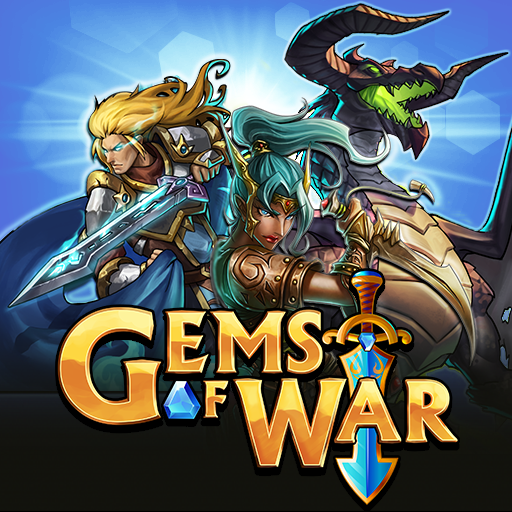
- Updated
- Version 9.0.0
- Size 636.37 MB
- Requirements Android 6.0
- Developer 505 Games Srl
- Genre Puzzle
- Google Play


About Gems of War – Match 3 RPG
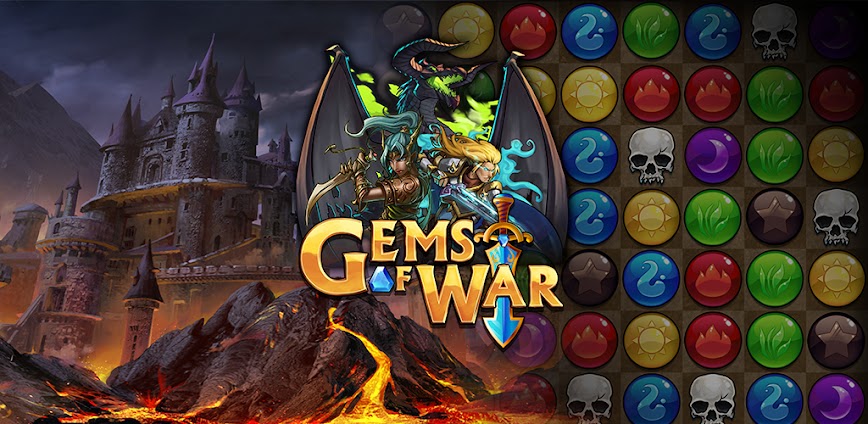
Gems of War is a fantasy match-3 puzzle RPG from the creators of Puzzle Quest, combining strategic gem-matching with deck-building mechanics across over 1,400 collectible troops. The game targets puzzle enthusiasts who enjoy layered strategy where team composition matters as much as board manipulation. New players face overwhelming complexity with dozens of kingdoms, currencies, and upgrade systems that require weeks to fully comprehend.
From hands-on testing, the mana system reveals its depth when matching colored gems to fuel troop abilities while skull matches deliver direct damage attacks. The Delving feature challenges players to descend through dungeon floors with increasing difficulty, while Underspire exploration offers roguelike progression through procedurally generated paths. However, upgrading troops proves painfully slow since obtaining 26 trait materials requires equivalent chest openings, while campaign enemies arrive fully maxed and traited.
Users exploring modified versions typically want to experience late-game content and test various troop combinations without extended resource grinding periods. This allows evaluating whether specific kingdom builds and team synergies genuinely match their preferred strategic approach. Consider using a secondary account for testing purposes, keeping your main progression and guild participation separate from experimental installations.
Should You Use Gems of War – Match 3 RPG?
This Game is Ideal For:
- Puzzle Quest veterans seeking spiritual successor gameplay with modernized troop collection and guild mechanics
- Guild-oriented players wanting cooperative events like Tower of Doom and regional Alliance Wars
- Collectors who enjoy building rosters across 30+ kingdoms with unique troop abilities and kingdom bonuses
- Strategic puzzle fans seeking depth beyond simple matching through mana management and ability combos
Consider Alternatives If:
- Competitive fairness matters most – PvP heavily favors players who purchase premium troops and resources
- You prefer offline play – all game modes require constant internet connectivity for server validation
- Quick progression appeals more – upgrading single troops requires weeks of dedicated grinding for materials
- Simple match-3 relaxation is desired – complex systems overwhelm those seeking casual puzzle entertainment
Key Features of Gems of War – Match 3 RPG
Gems of War combines match-3 puzzle mechanics with deep RPG troop collection and guild-based competitive modes. Here are the standout capabilities:
- Troop Collection System – Recruit over 1,400 unique troops across 30+ kingdoms, each with distinct abilities and mana requirements
- Mana & Skull Combat – Match colored gems to charge troop spells while skull combinations deal direct damage to enemies
- Delving Dungeons – Descend through progressively harder dungeon floors earning exclusive rewards and faction troops
- Underspire Exploration – Navigate procedurally generated maps discovering treasures and challenging boss encounters weekly
- Alliance Wars – Join guilds to battle for regional control earning legendary rewards and unique PvP combat buffs
- Tower of Doom – Cooperate with guildmates climbing endless tower floors during limited-time guild events
- Treasure Map Minigame – Flip tiles in separate puzzle mode to uncover gold, gems, and rare upgrade materials
Download & Installation Guide
Important Security Notes:
- Modified APKs may conflict with official versions
- Consider using a test device or secondary account
- Back up important data before installation
Installation Steps:
- Enable “Install from Unknown Sources” in Settings > Security
- Download the APK file to your device
- Locate the file in your Downloads folder and tap to install
- Grant storage and network permissions when prompted for game data and online multiplayer connectivity
- Launch and complete the initial kingdom tutorial to verify troop abilities and mana matching function properly
App-Specific Considerations:
- Online features including guild activities, Alliance Wars, and PvP may not function properly in modified versions
- Avoid binding your primary account as modified clients risk permanent suspension and loss of collected troops
- Reserve approximately 800MB storage space for complete game assets and regular content updates

- God Mode
 Show/Hide Mod info: