Epic Conquest 2 3.0.5 MOD Menu APK | Damage Multiplier, God Mode, Unlimited Skill Usage, Currency Cheat

- Updated
- Version 3.0.5
- Size 737.16 MB
- Requirements Android 6.0
- Developer Gaco Games
- Genre Role Playing
- Google Play




About Epic Conquest 2
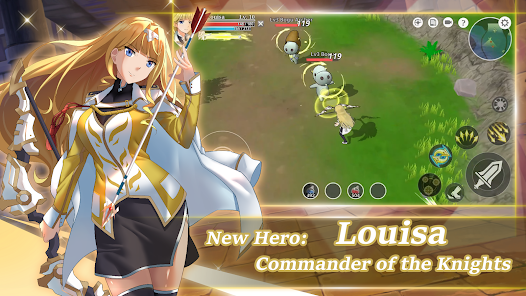
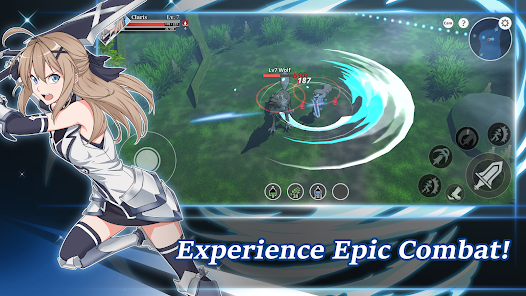
Epic Conquest 2 is a single-player action RPG featuring anime-style graphics, open-world exploration, and a combat system inspired by classic JRPGs. The game appeals to players seeking offline mobile RPGs with meaningful character progression and engaging boss fights. However, the difficulty scaling can feel steep in later areas, and occasional freezing issues during combat interrupt extended play sessions, particularly in resource-heavy zones like Danos Desert.
From hands-on exploration, the depth becomes apparent when experimenting with the 8 Active Skills and 8 Masteries available per character. The classic Attribute Distribution system (STR/INT/AGI/DEX/VIT) allows genuine build variety, while the Blacksmith crafting and equipment enhancement systems require understanding stat soft caps to progress efficiently. Many players hit progression walls mid-game when their builds lack optimization for specific encounters.
Users exploring modified versions typically want to evaluate premium cosmetics and test various character builds without grinding for Rubies. This allows determining whether the complete customization options genuinely enhance their single-player experience before committing time to resource farming. Back up your save data separately since cloud sync behavior may differ with unofficial versions.
Should You Use Epic Conquest 2?
This Game is Ideal For:
- Commuters seeking offline entertainment with meaningful progression during subway rides or flights without internet
- JRPG enthusiasts who enjoy manual stat allocation and experimenting with STR/INT hybrid builds
- Mobile gamers wanting Diablo-style combat without pay-to-win mechanics or mandatory microtransactions
- Story-focused players appreciating anime cutscenes and humor between challenging boss encounters
Consider Alternatives If:
- Your device has limited RAM below 3GB – freezing issues occur frequently in resource-heavy desert zones
- You prefer multiplayer or co-op RPG experiences – Epic Conquest 2 is strictly single-player with no social features
- Quick session gaming suits you better – meaningful progress requires 20-30 minute uninterrupted sessions
- You dislike grinding for materials – equipment enhancement demands repetitive resource farming in later chapters
Key Features of Epic Conquest 2
Epic Conquest 2 combines classic JRPG progression systems with action combat mechanics. Here are the standout capabilities:
- 8 Skills + 8 Masteries Per Character – Mix active abilities and passive enhancements to create unique builds matching your combat preferences
- Classic Attribute Distribution – Manually allocate STR, INT, AGI, DEX, and VIT points upon leveling to shape your character’s strengths
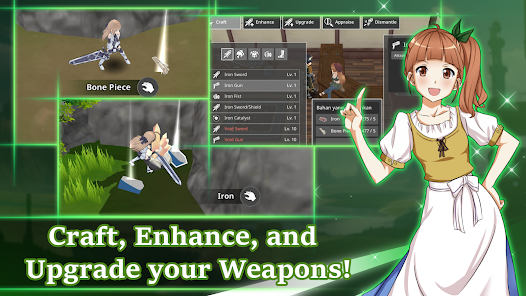
- Blacksmith Equipment System – Craft, enhance, and upgrade weapons and armor through resource gathering and material combination
- Appraisal System – Identify equipment stats including skill damage, crit rate, and crit damage to optimize gear for soft caps
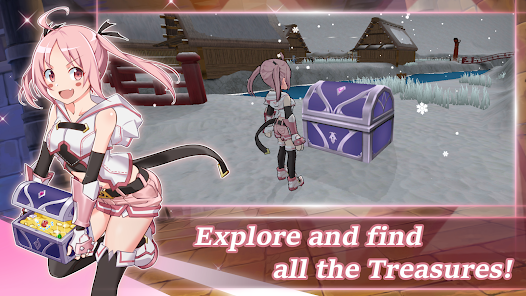
- Open World Exploration – Discover treasures, fishing spots, and cooking ingredients across multiple regions with hidden collectibles
- Cloud Save Support – Transfer progress between devices seamlessly to continue your adventure on different platforms
- Offline Gameplay – Play anywhere without internet connection while maintaining full access to all game content
Download & Installation Guide
Important Security Notes:
- Modified APKs may conflict with official versions
- Consider using a test device or secondary account
- Back up important data before installation
Installation Steps:
- Enable “Install from Unknown Sources” in Settings > Security
- Download the APK file to your device
- Locate the file in your Downloads folder and tap to install
- Grant storage permissions when prompted for save file management and cloud sync functionality
- Launch and create a new save slot to test gameplay stability before transferring existing progress
App-Specific Considerations:
- Reserve approximately 500MB free storage as the game caches world data and save files locally during extended sessions
- Lower graphics settings if experiencing freezing during combat, particularly in Danos Desert or boss encounters
- Link to Google Play Games only after confirming modified version stability since cloud save conflicts may occur with official versions

- Damage Multiplier
- God Mode
- Unlimited Skill Usage
- Currency Cheat
 Show/Hide Mod info: