
Devil May Cry: Peak of Combat 2.16.0.538649 MOD Menu APK | Speed Player, Speed Game, Drone View, God Mode, Stop Bots

- Updated
- Version 2.16.0.538649
- Size 1097.24 MB
- Requirements Android 6.0
- Developer nebulajoy
- Genre Action
- Google Play










About Devil May Cry: Peak of Combat
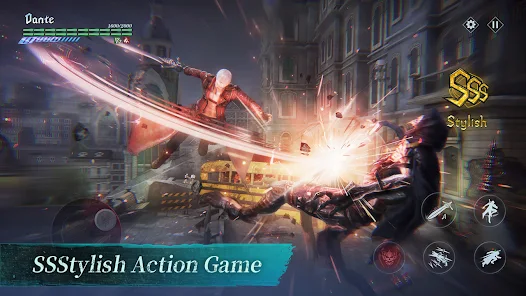
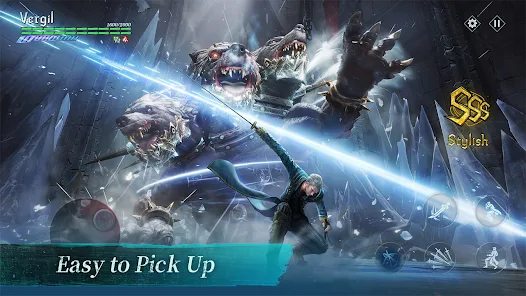
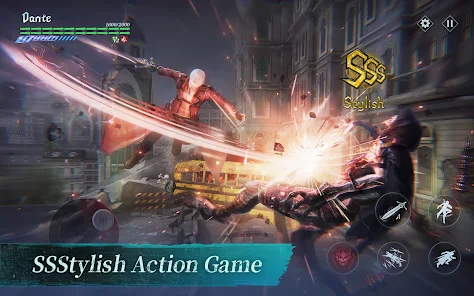
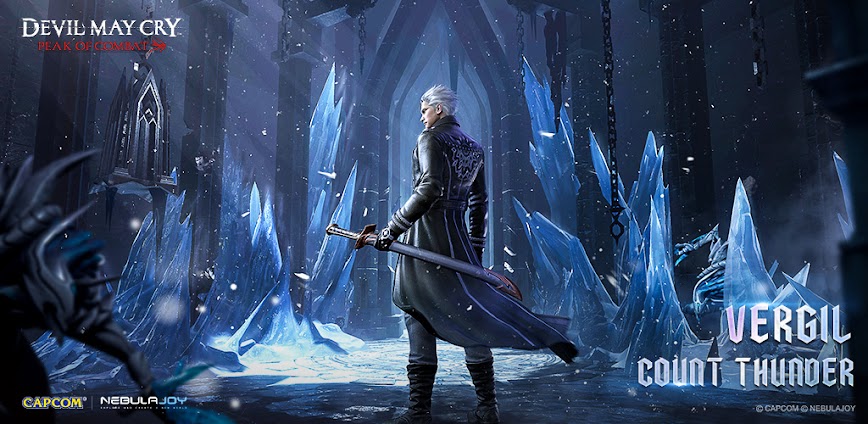
Devil May Cry: Peak of Combat is the only officially licensed DMC mobile game, bringing the franchise’s signature stylish combat system to smartphones with recreated classic characters, weapons, and bosses from the series. The game appeals to DMC fans and action RPG enthusiasts who enjoy combo-based combat with team mechanics. However, users report severe difficulty spikes around Chapter 8-10 where progression becomes heavily gated behind character upgrades, and the combat system feels simplified compared to console entries with only basic attack, special attack, and ultimate abilities per character.
From hands-on demon hunting sessions, the pay-to-win structure becomes apparent when working through mid-game chapters requiring meticulous item management. Features like the Bloody Palace mode testing survival through increasingly difficult floors, the Realm Conquerer elimination mode with elemental-locked character requirements, and the Skyfall Well mystery-solving challenges recreate iconic DMC gameplay elements. Many users appreciate the motion capture-driven animations but criticize the shift from skill-based combat to grinding and gacha mechanics.
Users exploring modified versions typically want to evaluate the complete character roster and weapon systems without monetization walls restricting story progression and team composition flexibility. This allows testing whether the mobile adaptation genuinely captures DMC’s combat appeal before significant time or money investment. Consider using a secondary account for testing to protect any progress on your primary profile.
Should You Use Devil May Cry: Peak of Combat?
This Game is Ideal For:
- DMC franchise fans wanting to experience classic characters like Dante and Vergil on mobile devices
- Combo enthusiasts who enjoy aerial juggling and character-switching mechanics during fast-paced battles
- Collectors attracted to Gothic aesthetics and obtaining series-iconic weapons with visual customization options
- Short-session players seeking quick action combat completable in brief mobile gaming sessions
Consider Alternatives If:
- Skill-based progression is expected – difficulty spikes around Chapter 8 heavily favor upgraded characters over player ability
- Console DMC depth is wanted – combat simplifies to basic attack, special, and ultimate with limited combo variety
- Free-to-play completion matters – late-game progression becomes extremely difficult without premium character investments
- Community interaction is important – the official Discord has documented moderation issues and negative community atmosphere
Key Features of Devil May Cry: Peak of Combat
Devil May Cry: Peak of Combat combines mobile action RPG mechanics with the franchise’s signature stylish combat aesthetics. Here are the standout capabilities:
- Bloody Palace Mode – Challenge endless floors of demon hordes testing combat endurance and team composition
- Realm Conquerer – Complete elemental-locked elimination challenges using fire, ice, electric, or physical character teams
- Motion Capture Combat – Experience industry-leading animation technology reproducing iconic DMC moves like aerial combos and demonization
- Team Character System – Build squads of three characters with tag-team switching attacks during active combat
- Skyfall Well Challenges – Solve mystery puzzles recreating classic DMC exploration and environmental gameplay elements
- Gothic World Recreation – Explore faithfully recreated scenes, weapons, and boss encounters from the console series
- Character Collection – Obtain classic hunters including Dante, Vergil, Nero, and Lady with unique combat abilities
Download & Installation Guide
Important Security Notes:
- Modified APKs may conflict with official versions
- Consider using a test device or secondary account
- Back up important data before installation
Installation Steps:
- Enable “Install from Unknown Sources” in Settings > Security
- Download the APK file to your device
- Locate the file in your Downloads folder and tap to install
- Grant network and storage permissions for online features and the substantial additional data download
- Complete the initial combat tutorial to understand basic attack timing and character switching before story missions
App-Specific Considerations:
- The game requires approximately 6GB total storage including additional data downloads after initial installation
- All gameplay features require constant server connection with no offline functionality available
- Avoid binding accounts to social platforms until confirming game stability as online verification may detect modified clients

- Speed Player
- Speed Game
- Drone View
- God Mode
- Stop Bots
 Show/Hide Mod info:


Bro please give the updated version it’s already 2.15 version now
Arreglen el mod porque no tiene ninguna función activa, está equivocado, por favor!!!!!
Needs key
Helo brother is this played mod
Thanks!
Thanks!
thank you for sharing the key
how to get key ?
Plezz sending the keys 🔐
Hi plez send me the key 🗝️👆🏻👆🏻
Plez send me the key 🗝️
Plez send me the key
Manda o acesso aew
Can i get key
I need a key 🤔🤔🤔help
thanks for your key
What’s the key
Where is the key?
Need the key 🗝️ plez send me
Please send me kay😭😭
Thank you for sharing the key
What is the key?
Please send me kay friend
Bro i need key
Please give me key bro
AenMa bro please give me key bro
Please kay
Please give me kay 😭
Please kayyyyyyyyyyyyyyyyyyyy😭😭😭
Please kay 10 day 😭😭😭😭
thanks for your key
What kay😭
Please send me kay too gmail
Please send me kay
Please send me a key
Please send me a key!
thank sir!
Need key
Hello, give me the key, please.
Please send me a kay
where do I find the key
sir give me a key
Please update this and i want to buy keys for months
wait
Not updated yet?
check in telegram