Bunker Defense: 100M Survival 1.15.2 MOD Menu APK | Damage Multiplier, Free In-App Purchases, Instant Kill & More
- Updated
- Version 1.15.2
- Size 134.25 MB
- Requirements Android 7.1
- Developer RocketdanGames
- Genre Strategy
- Google Play


About Bunker Defense: 100M Survival
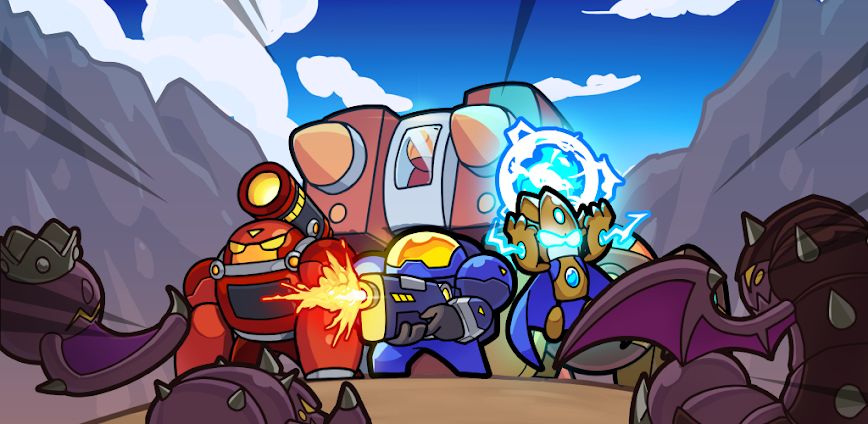
Bunker Defense: 100M Survival is a sci-fi tower defense game where players command Space Marines to repel overwhelming waves of enemies storming their bunker. The game appeals to strategy fans who enjoy tactical unit positioning and roguelike progression systems. However, new players face lengthy mandatory tutorials that cannot be skipped, and enemy scaling can feel overwhelming without proper gear upgrades or premium purchases.
From hands-on sessions, the Card System for unit strengthening and Real-Time Enhancement mechanics create engaging mid-battle decisions where each level-up offers new upgrade paths. Features like Boss Wave encounters and Equipment Tiers (reaching Tier 7) add depth, but freezing issues with certain units like Assassin and Snowman disrupt gameplay. Many users note the monetization feels aggressive with multiple battle passes and time-limited ad-removal subscriptions.
Users exploring modified versions typically want to evaluate the full strategic depth and unit combinations without grinding through multiple currencies or time-gated progression. This helps determine if the tactical mechanics justify ongoing resource investment. Consider using a secondary account for testing since online features may behave unpredictably with modified installations.
Should You Use Bunker Defense: 100M Survival?
This Game is Ideal For:
- Tower defense veterans seeking sci-fi themed unit deployment with roguelike upgrade mechanics between waves
- Strategy players who enjoy building squad synergies and testing different unit combinations against escalating threats
- Mobile gamers wanting bite-sized defensive sessions with satisfying mid-battle power progression systems
- Collectors motivated by unlocking units through the card system and grinding equipment through multiple tiers
Consider Alternatives If:
- You dislike unskippable tutorials – mandatory introductions lock customization until completion frustrating experienced players
- Ad-free gaming matters – no-ads subscription renews monthly rather than offering permanent one-time purchase
- Offline play is required – server connectivity affects progression saving and certain gameplay features significantly
- Device stability concerns exist – reported freezing issues with specific units may affect older or lower-RAM devices
Key Features of Bunker Defense: 100M Survival
Bunker Defense: 100M Survival combines tower defense mechanics with roguelike real-time progression. Here are the standout capabilities:
- Real-Time Enhancement – Level up during active combat and select from upgrade options that immediately boost unit performance mid-wave
- Card System – Collect and upgrade cards that determine unit strength, unlocking stronger towers through strategic card management
- Squad Deployment – Position snipers, heavy units, and support troops strategically to create defensive formations matching enemy patterns
- Boss Wave Encounters – Face elite enemies and screen-filling bosses that require specific tactical preparation and ability timing
- Equipment Tier System – Upgrade gear through seven tiers between battles, creating significant power spikes for subsequent runs
- Unit Ability Cooldowns – Trigger cover fire, charge attacks, and special abilities with strategic timing to maximize defensive output
Download & Installation Guide
Important Security Notes:
- Modified APKs may conflict with official versions
- Consider using a test device or secondary account
- Back up important data before installation
Installation Steps:
- Enable “Install from Unknown Sources” in Settings > Security
- Download the APK file to your device
- Locate the file in your Downloads folder and tap to install
- Grant network and storage permissions when prompted for save data synchronization and account features
- Complete the initial tutorial sequence to access main gameplay modes and unit customization options
App-Specific Considerations:
- Avoid force-closing mid-battle since progress saves at wave completion checkpoints only
- Online features including leaderboards and Alliance functions may not work properly with modified versions
- Clear cache if experiencing freezing with Assassin or Snowman units as reported in recent stability fixes

- Instant Kill
- Battle Speed Multiplier: Re-Click In-Game Button Speed until x2 to applied the Battle Speed Multiplier!
- Damage Multiplier
 Show/Hide Mod info: